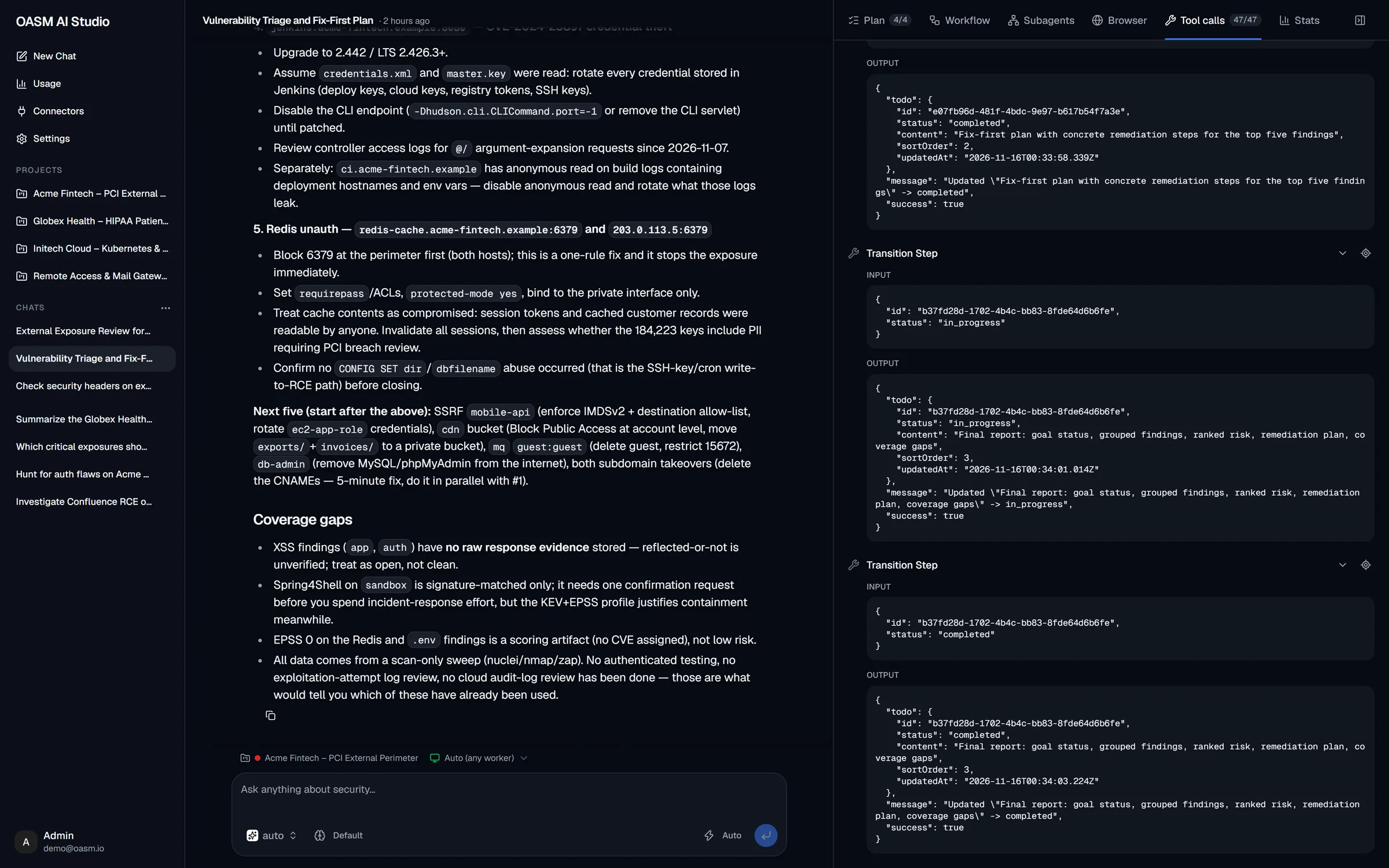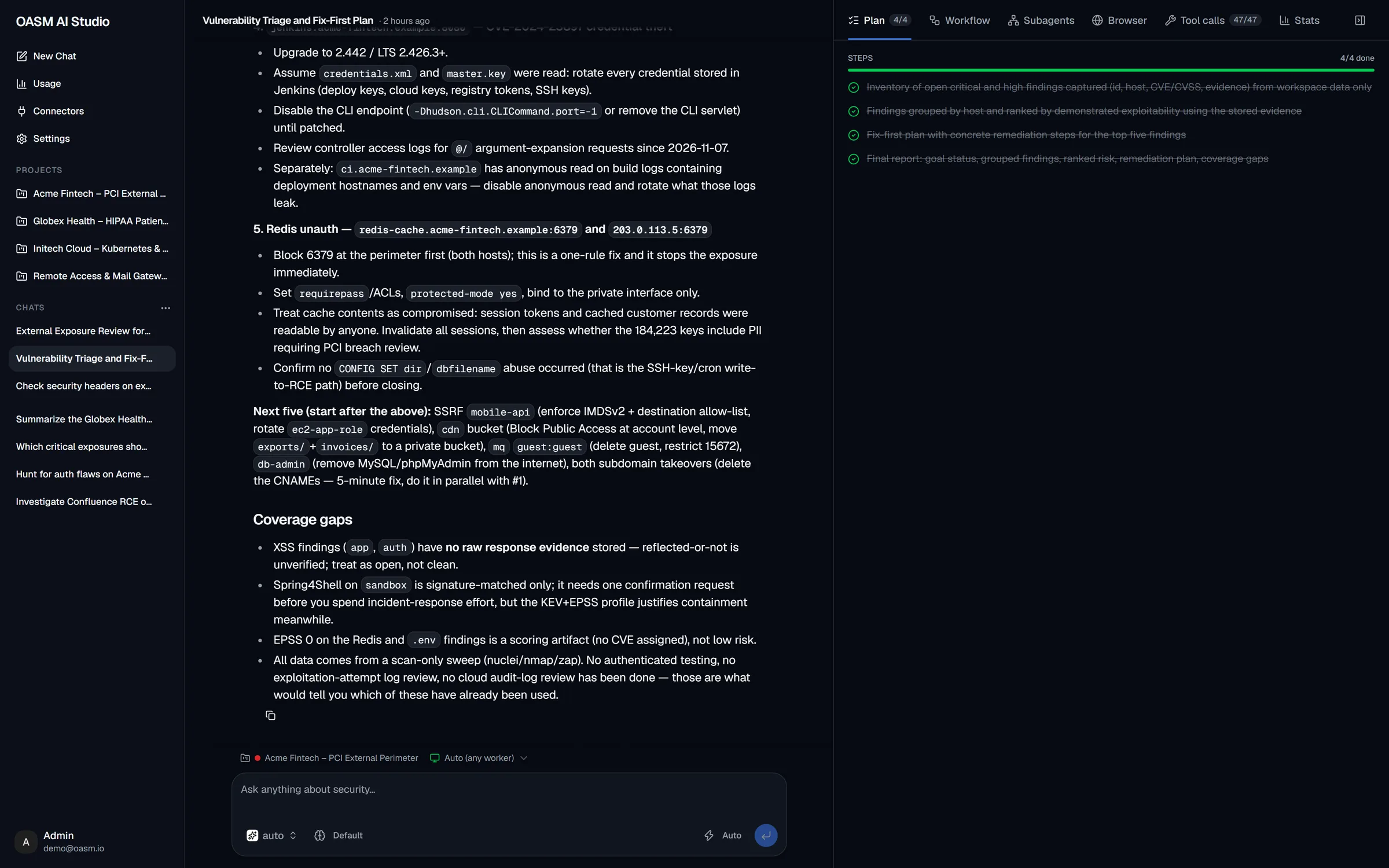
Plan
The goal and every step, ticked off live as the agent works.
Ask a question or hand over a task. The agent plans it, runs your scanners, drives a browser, splits the work across subagents — and shows every step while it works. On your infrastructure, with the model you choose.
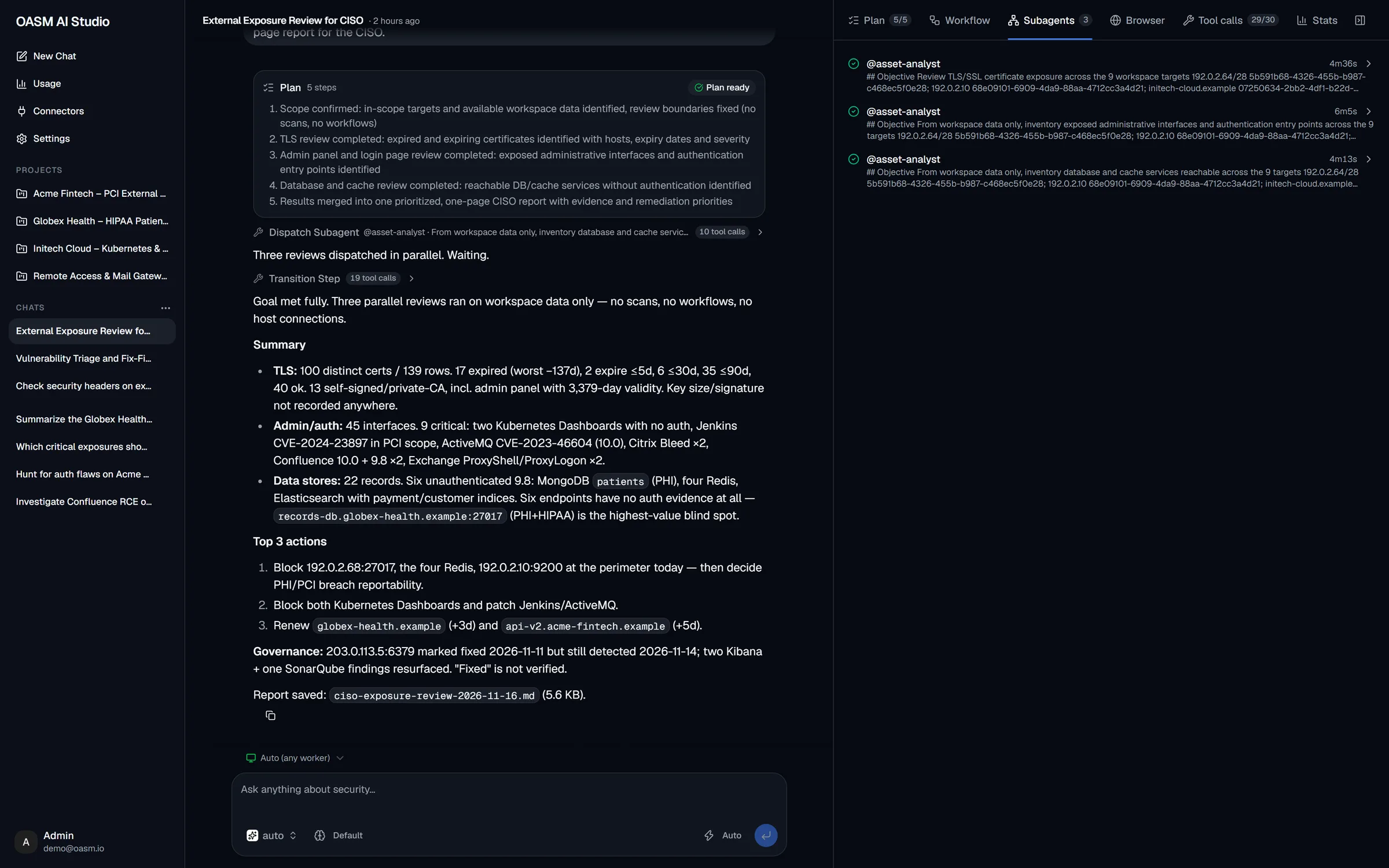
Real AI Studio session · fictional demo workspace
How a task runs
You stay in control at every hand-off: the agent proposes, you approve, it runs — and you can stop it at any time.
A question, a target to pentest, a template to write — in plain language.
Multi-step tasks start with a written plan you review before it runs.
Tool calls, subagents and the live browser stream into the side panel.
Findings land on real assets and issues, with remediation steps.
Switch the composer to Agent and describe the outcome you want. Scope the chat to one project or the whole workspace, pick the model and reasoning effort, or start from a preset.
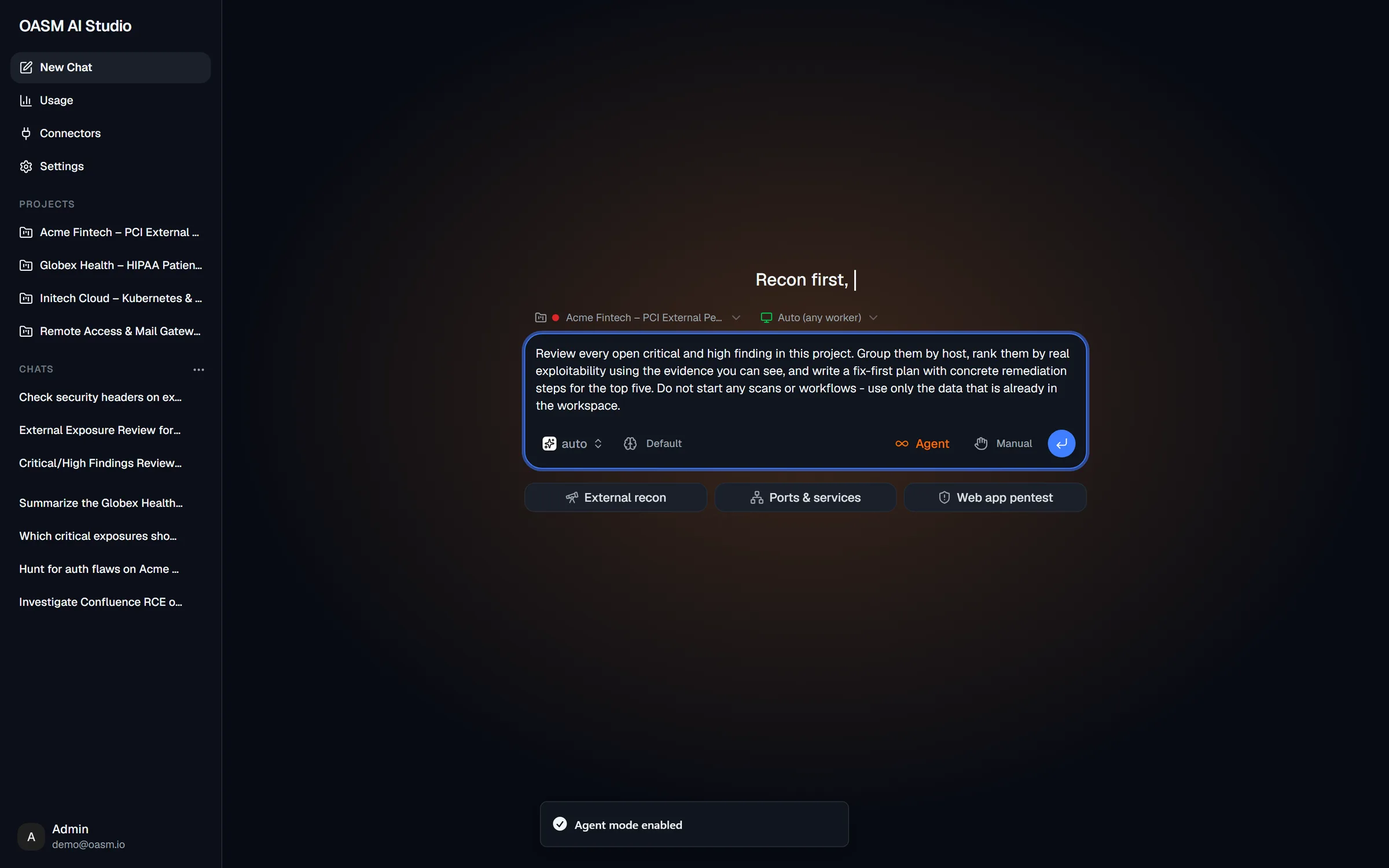
Multi-step tasks start with a written plan. Run it automatically, approve each command as it comes, or tell the agent how to change it — and a rule-based tool guard and scope gate check every side-effecting step.
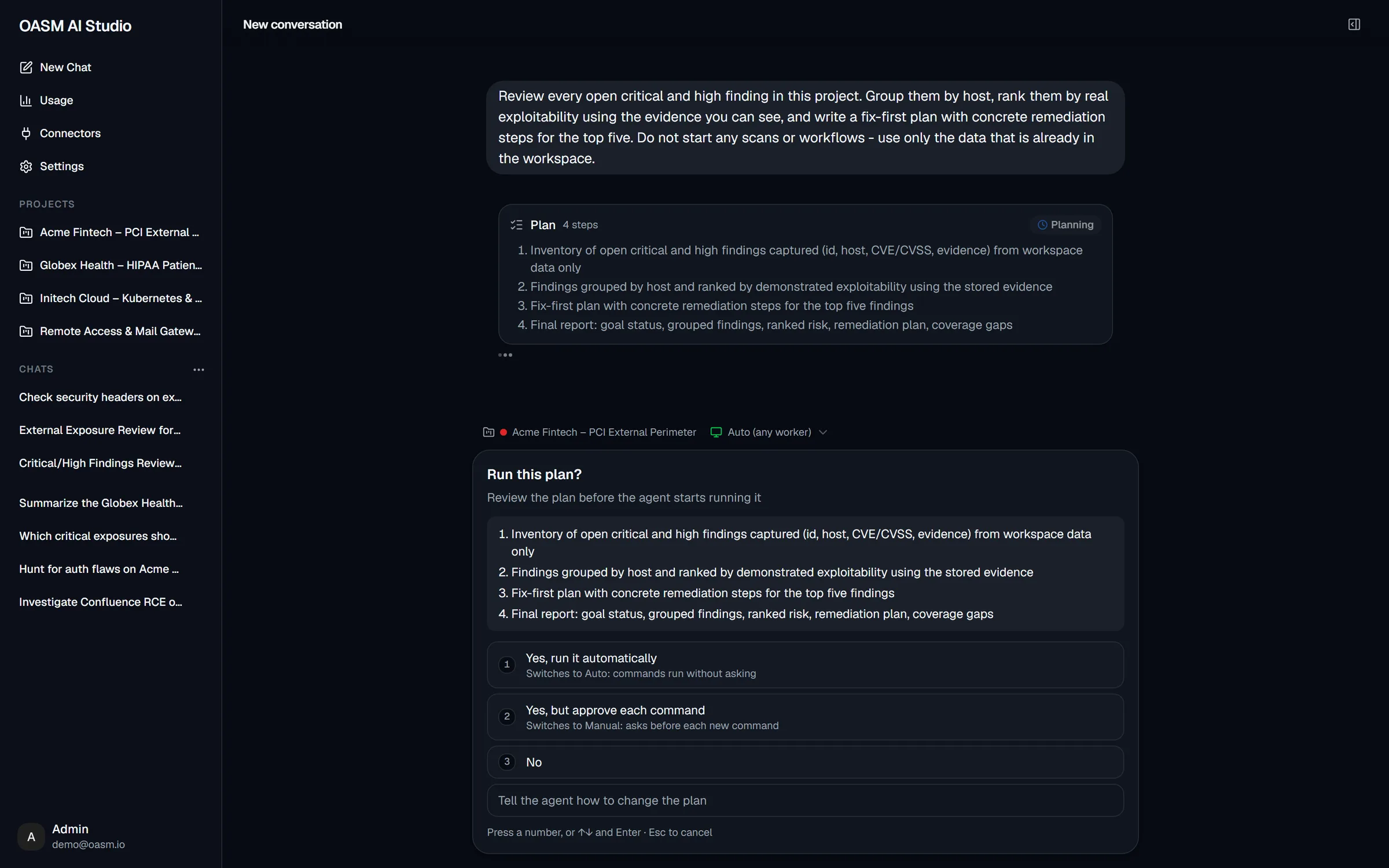
The main agent dispatches background subagents — each with its own objective — and waits for them to report back. Runs keep going on the server even if you close the tab.
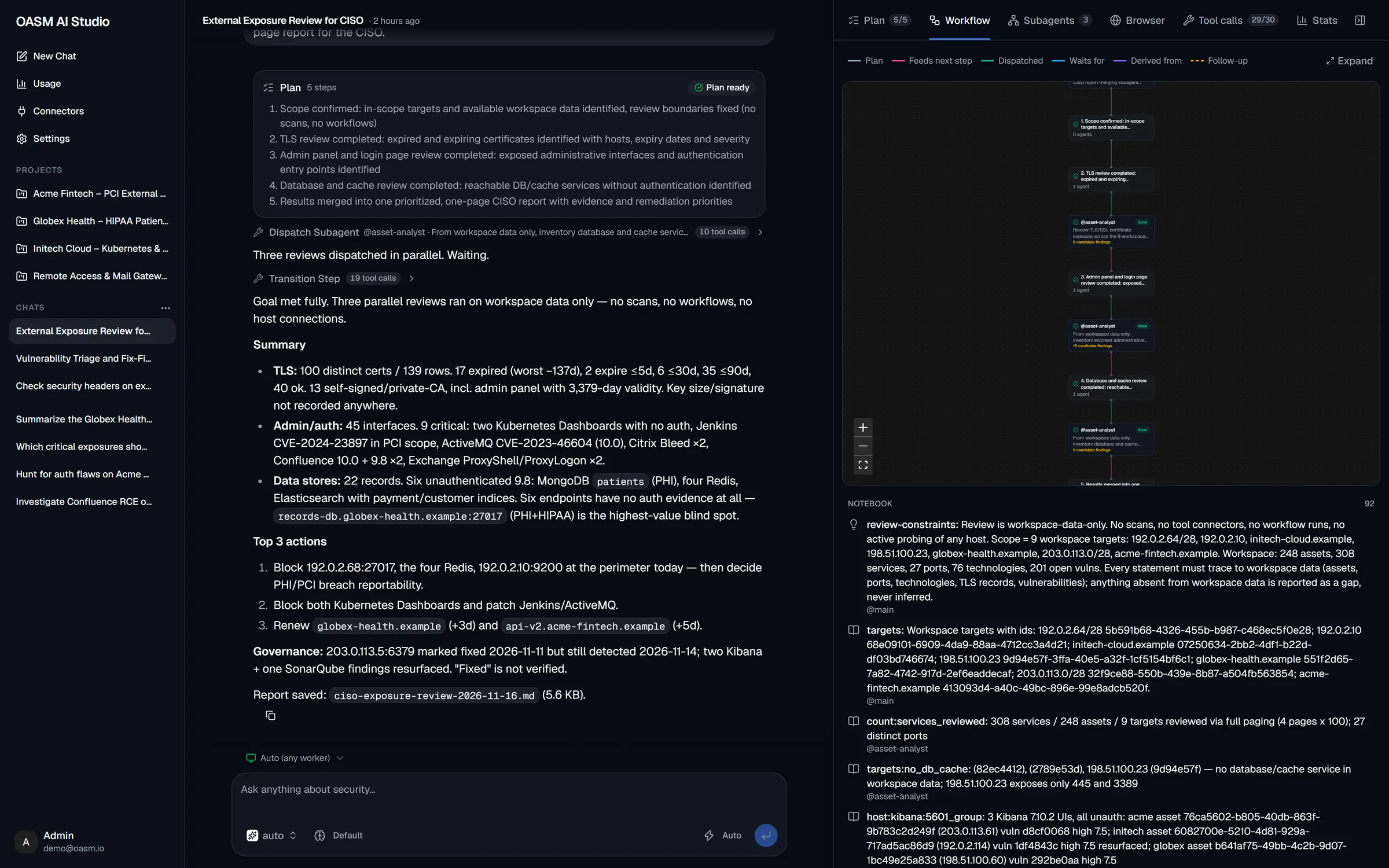
Every step in the open
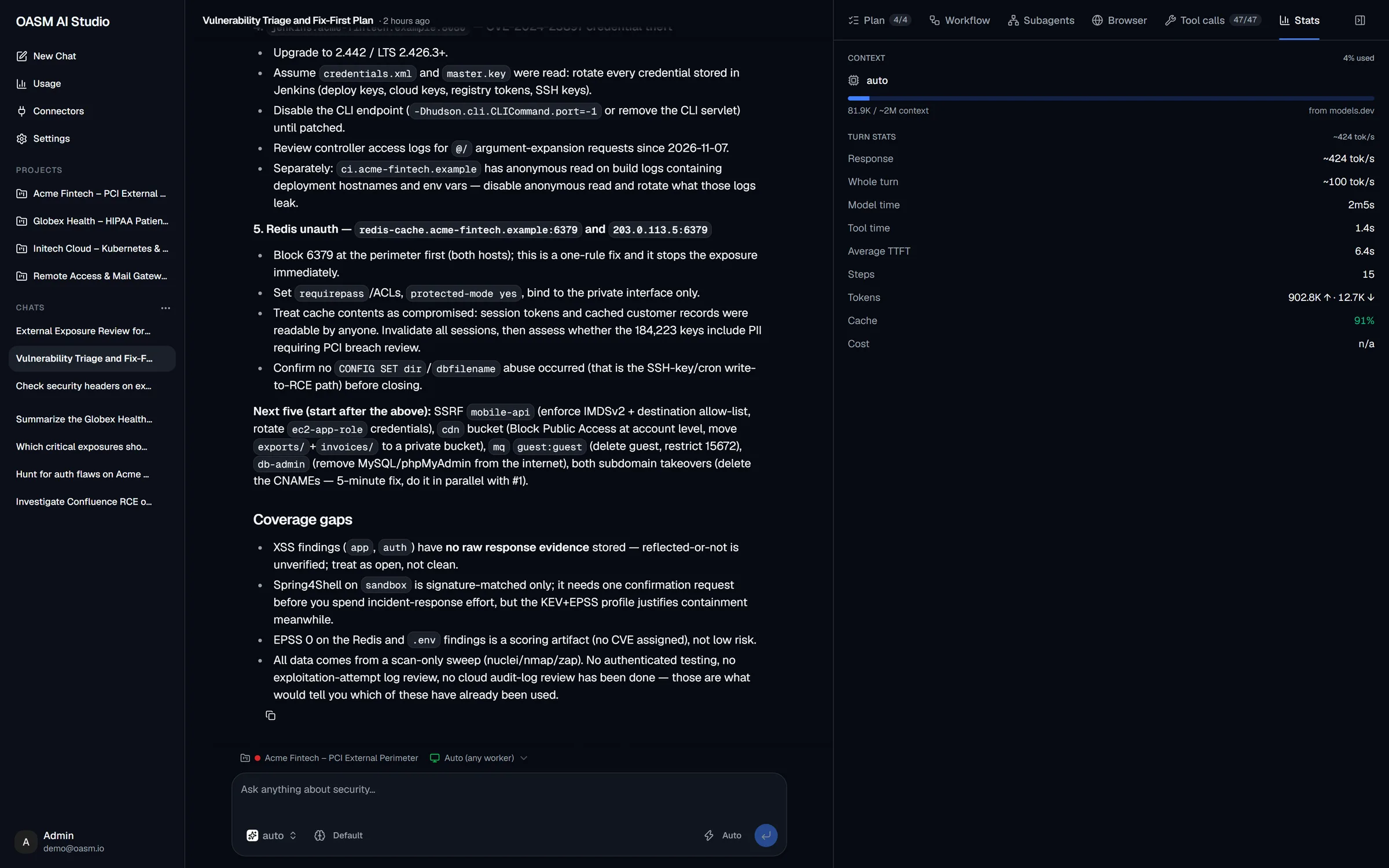
A side panel follows each run: the plan, the subagent workflow, every tool call and the cost of each turn.
The goal and every step, ticked off live as the agent works.
Every background subagent with its objective, status and run time.
The full input and output of every call — jump to it in the chat.
Context used, tokens per second, time to first token and cache hits per turn.
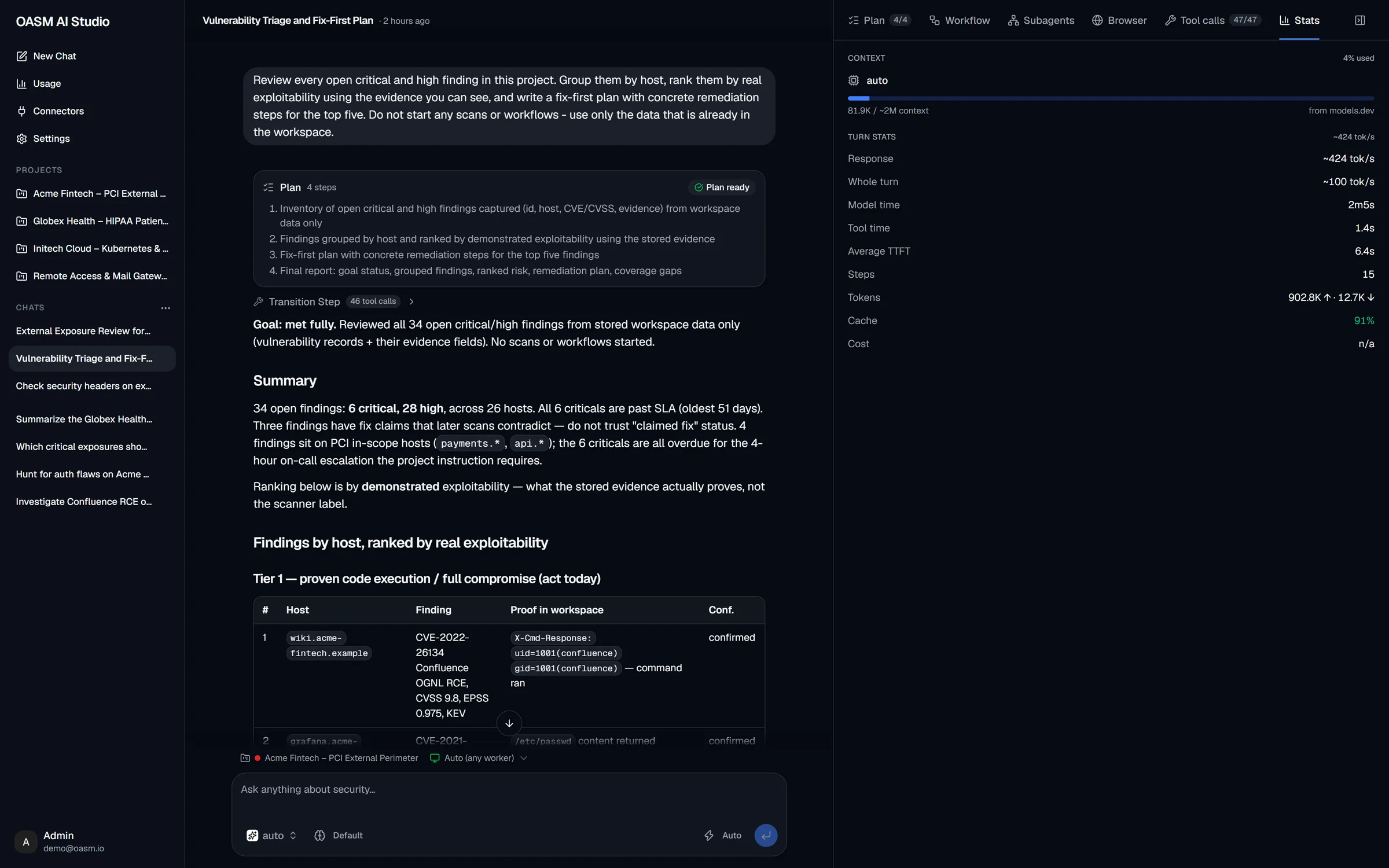
The agent reads your live inventory and findings, then writes up what it found — grouped by host, ranked by real exploitability, with what it ruled out and where coverage is thin.
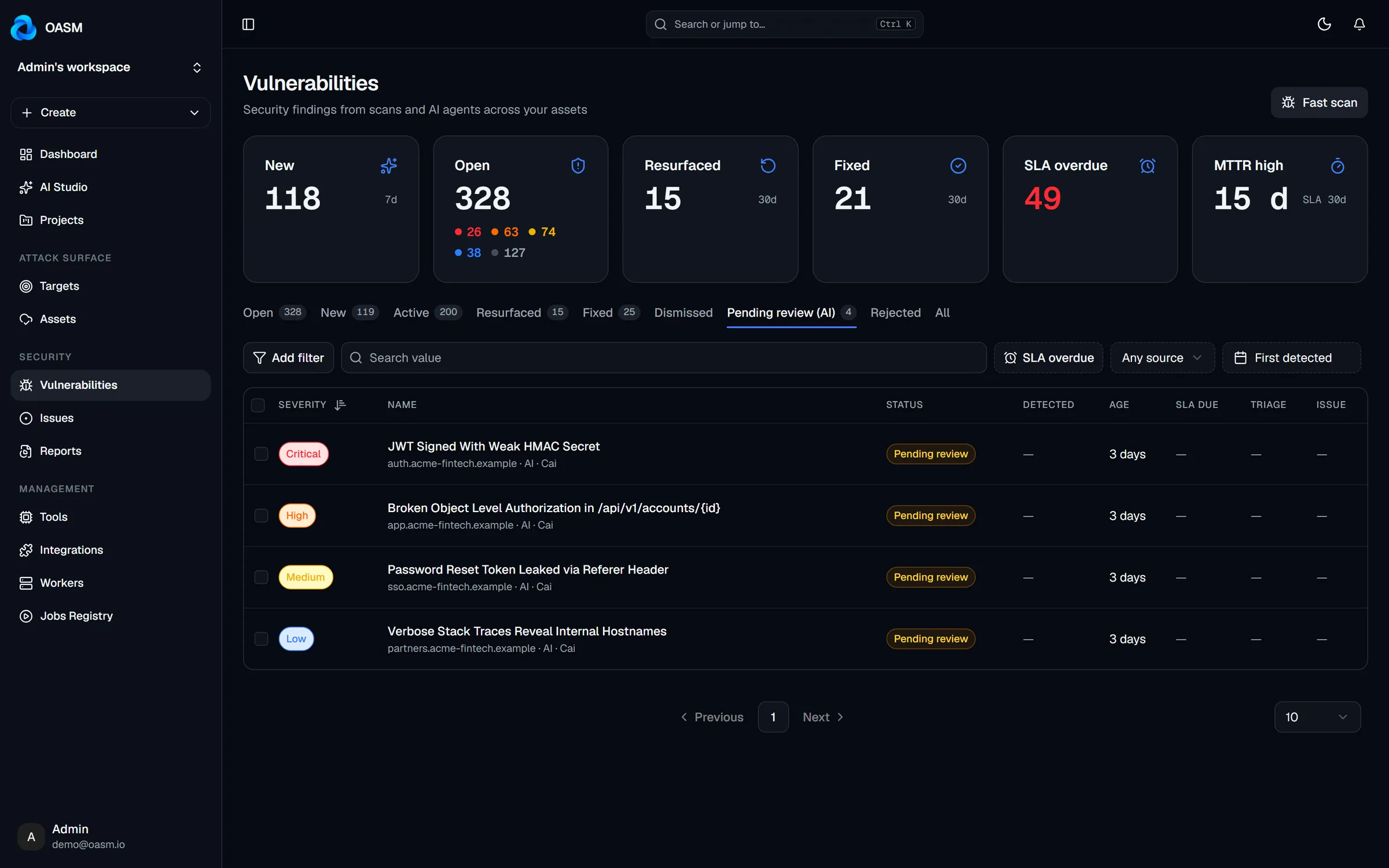
When the agent finds something new, it proposes a finding with the exact request and response as evidence. Proposals wait in Vulnerabilities → Pending review and count for nothing until someone approves them.
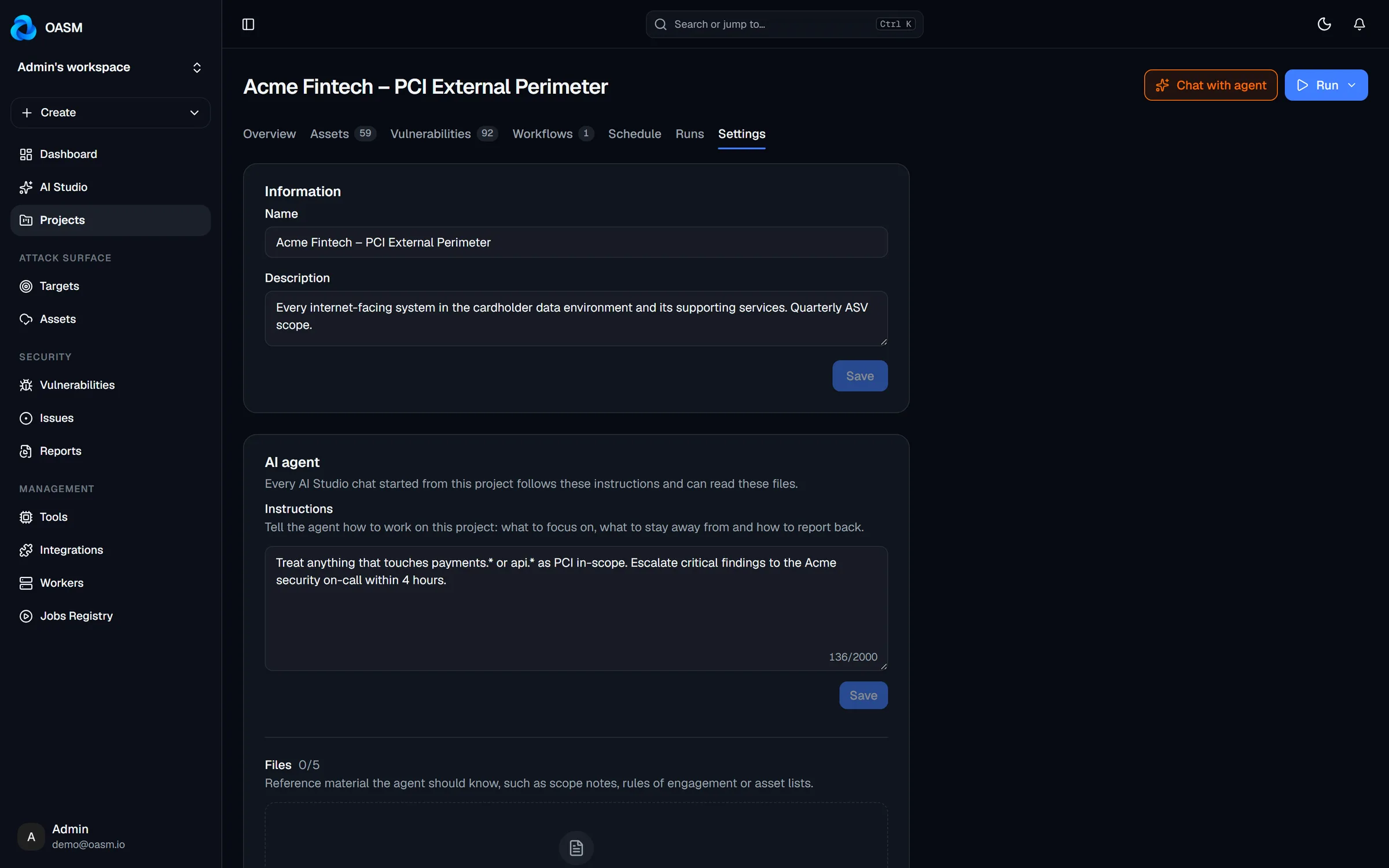
Give each project standing instructions and reference files — scope notes, rules of engagement, API specs. Every chat started from that project follows them and only reads and acts inside it.
Make it yours
Everything the agent can do is configurable per workspace — and everything it costs is measured.
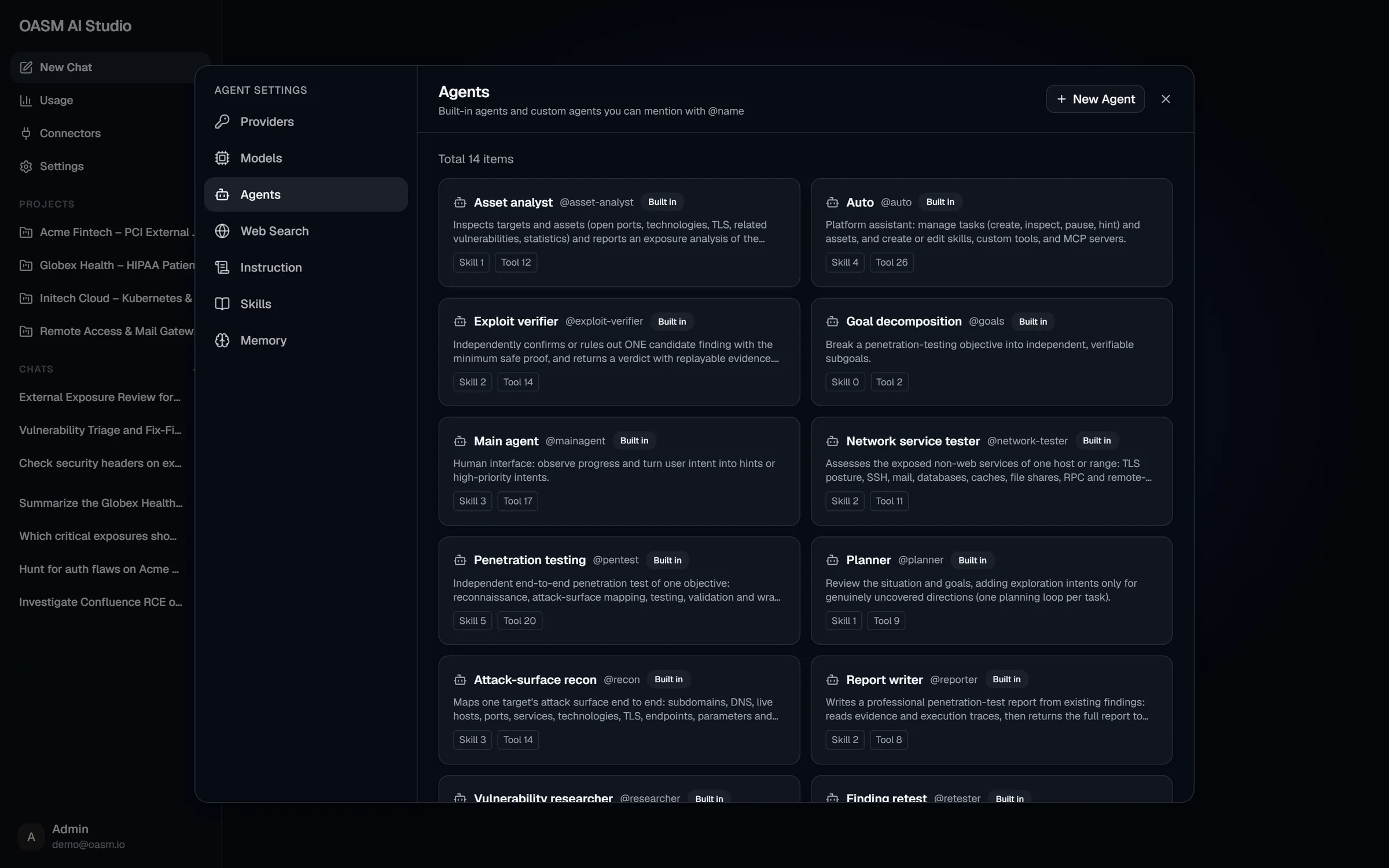
14 built-in agents you can @mention — asset analyst, exploit verifier, penetration testing, report writer — plus your own.
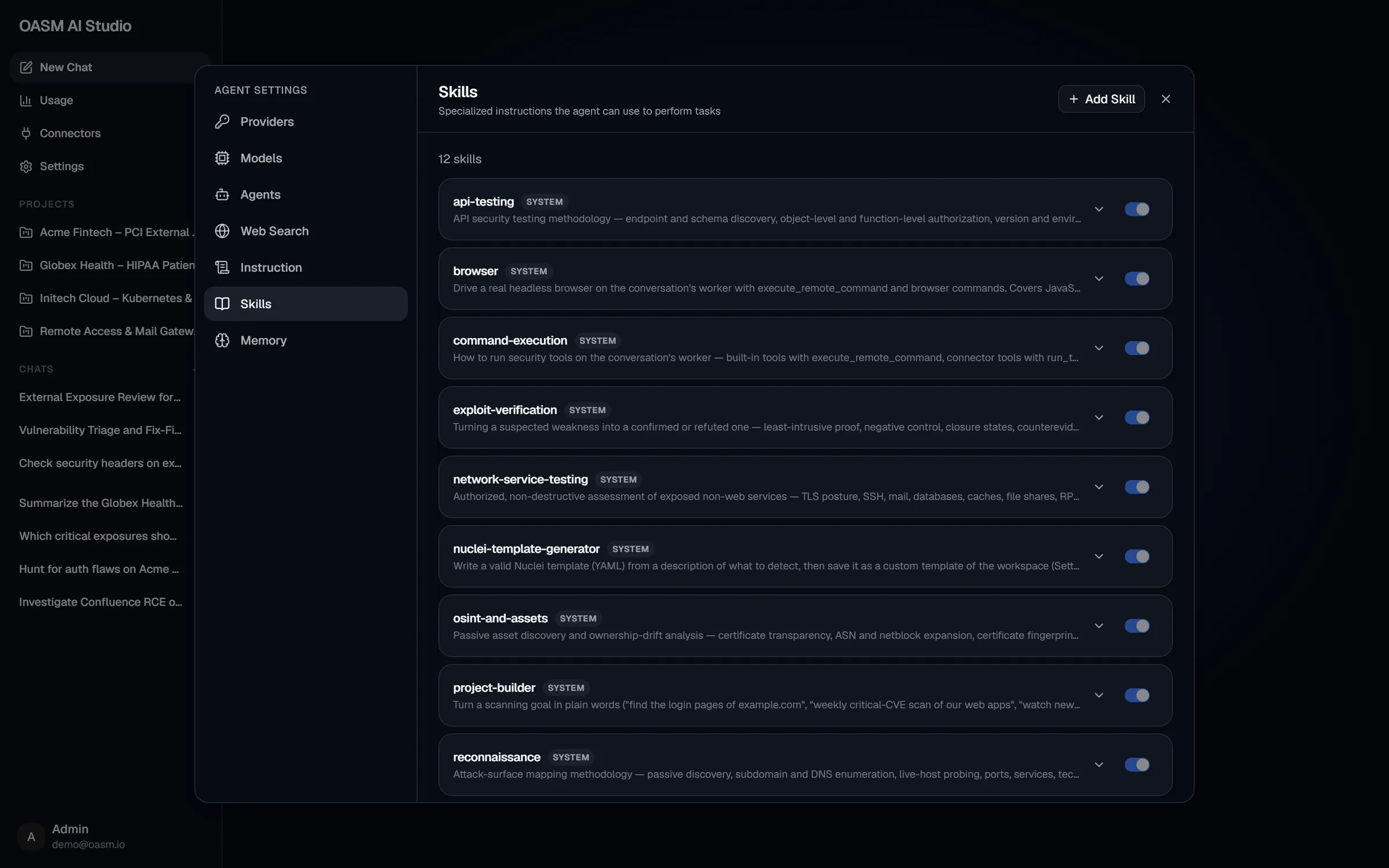
Skills with built-in methodology: API testing, browser, command execution, exploit verification, Nuclei templates, recon.
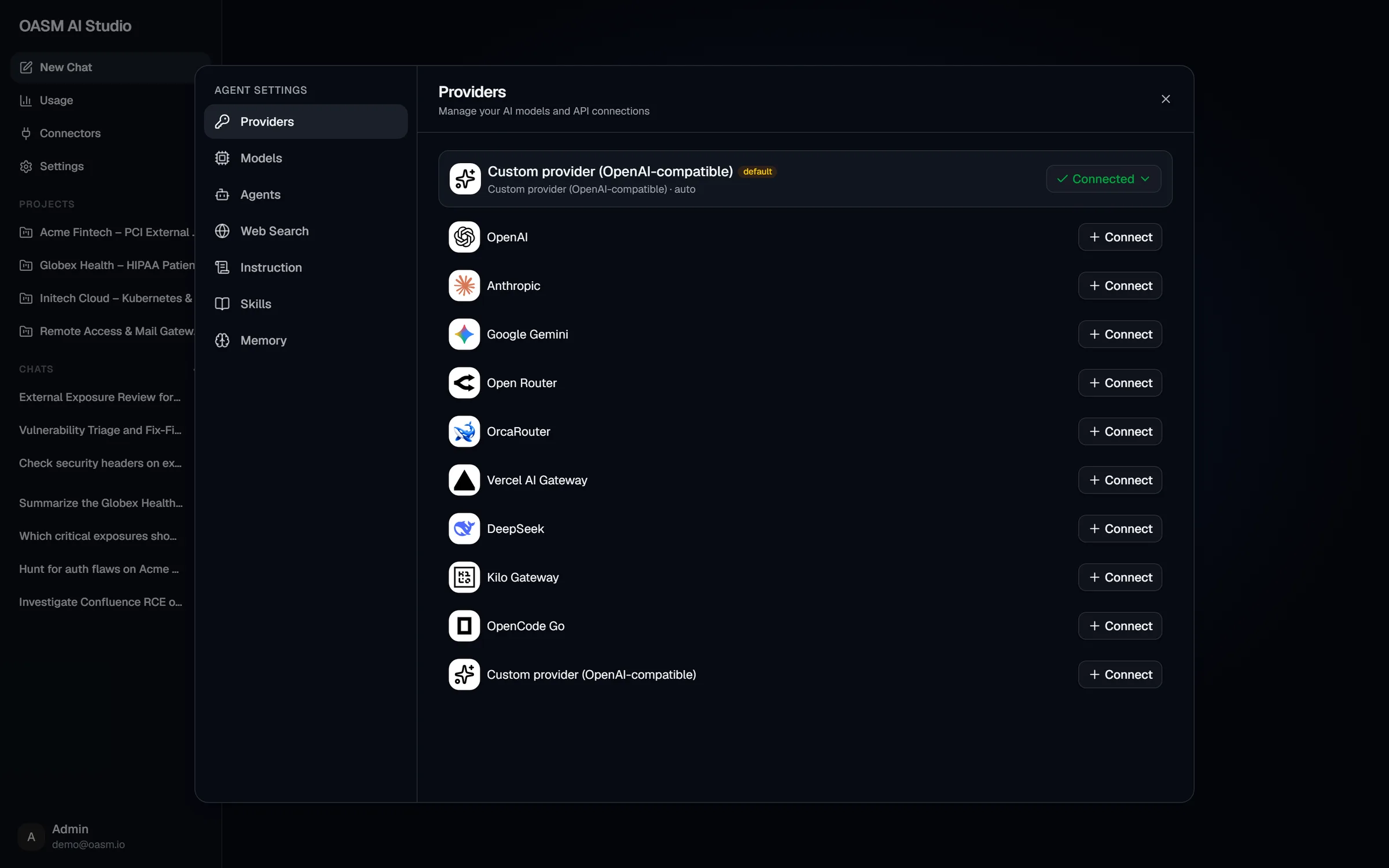
OpenAI, Anthropic, Gemini, OpenRouter, DeepSeek, Vercel AI Gateway or any OpenAI-compatible endpoint.
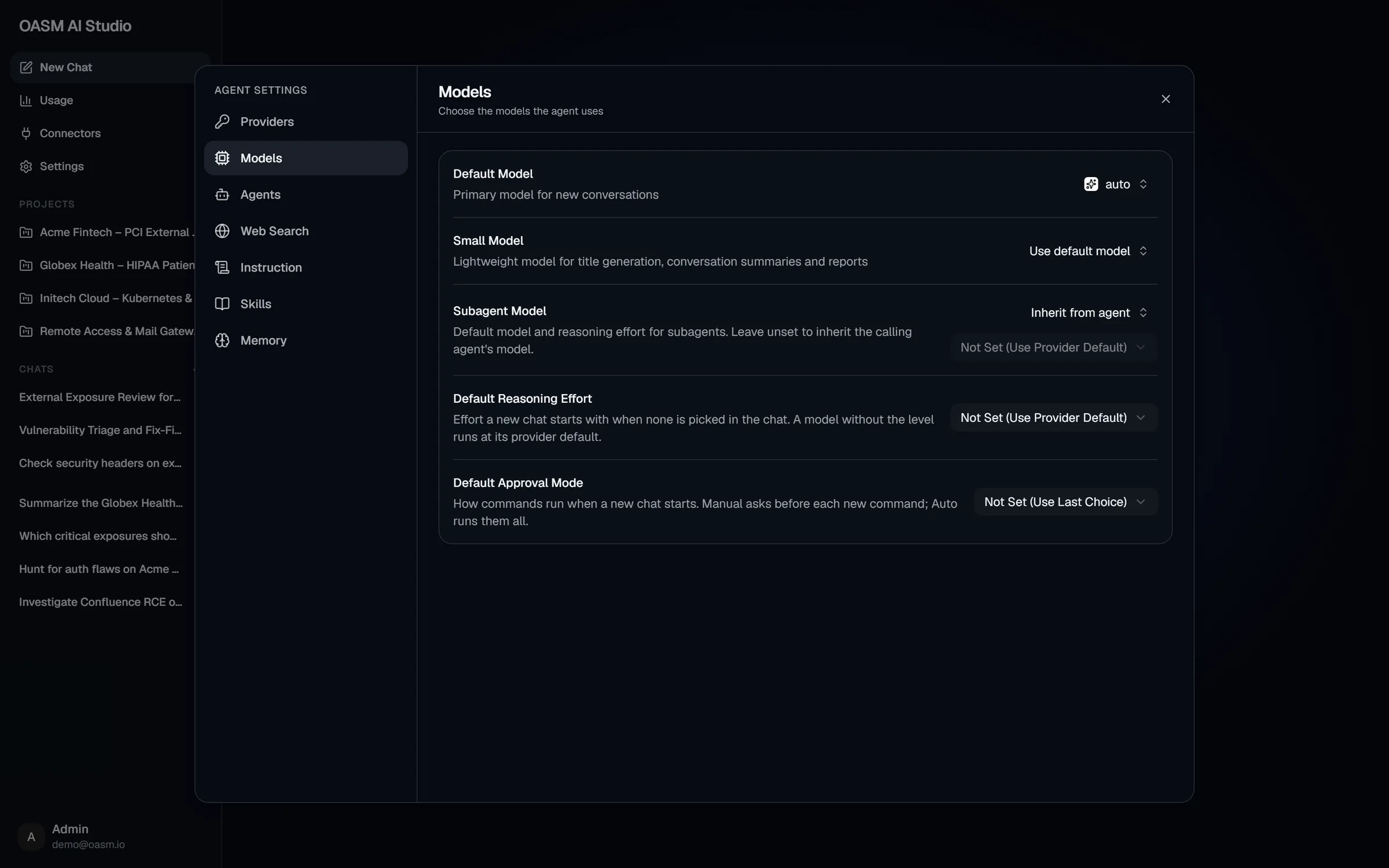
Default, small and subagent models, reasoning effort and the default approval mode.
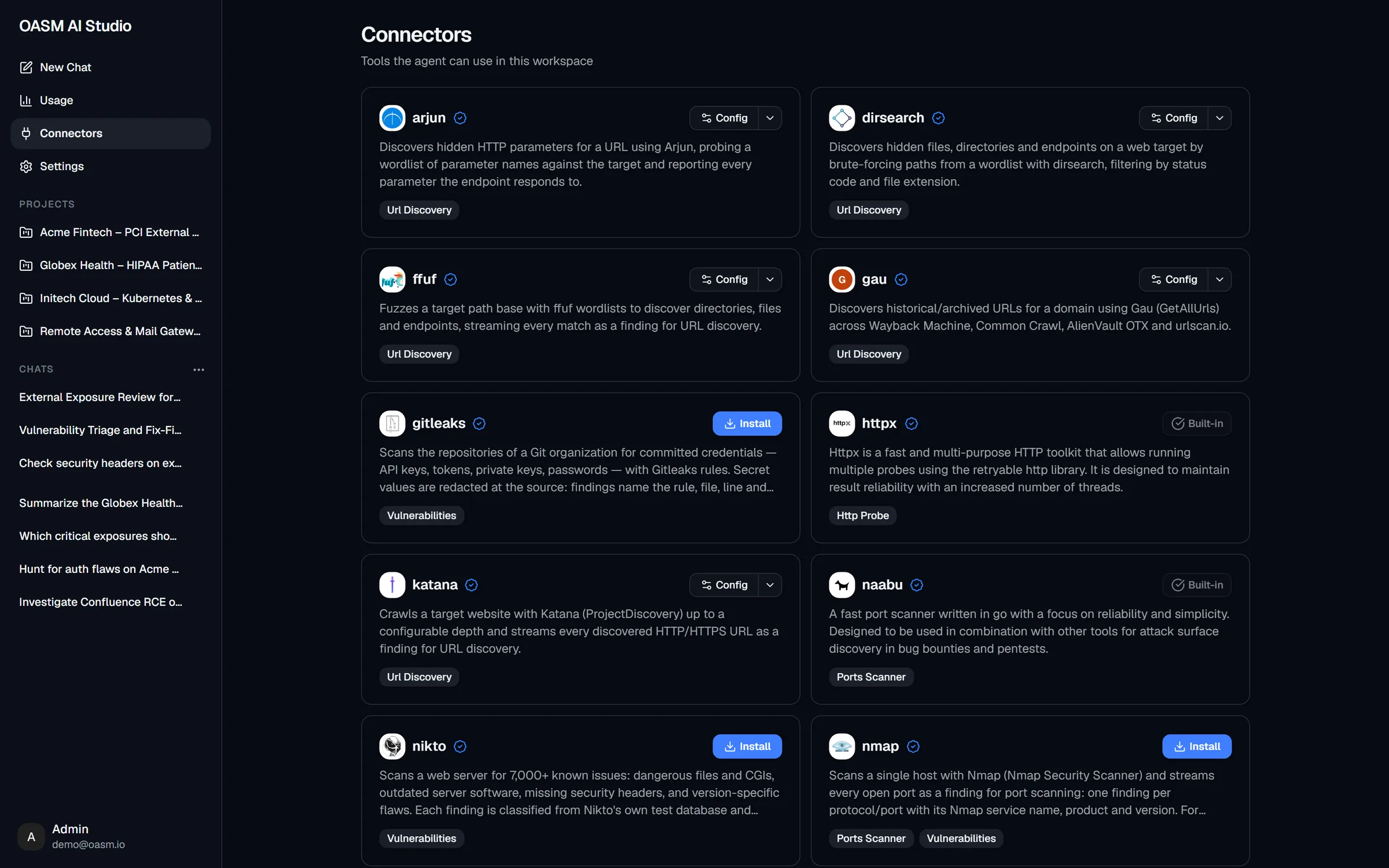
The scanners the agent may run, installed and configured per workspace.
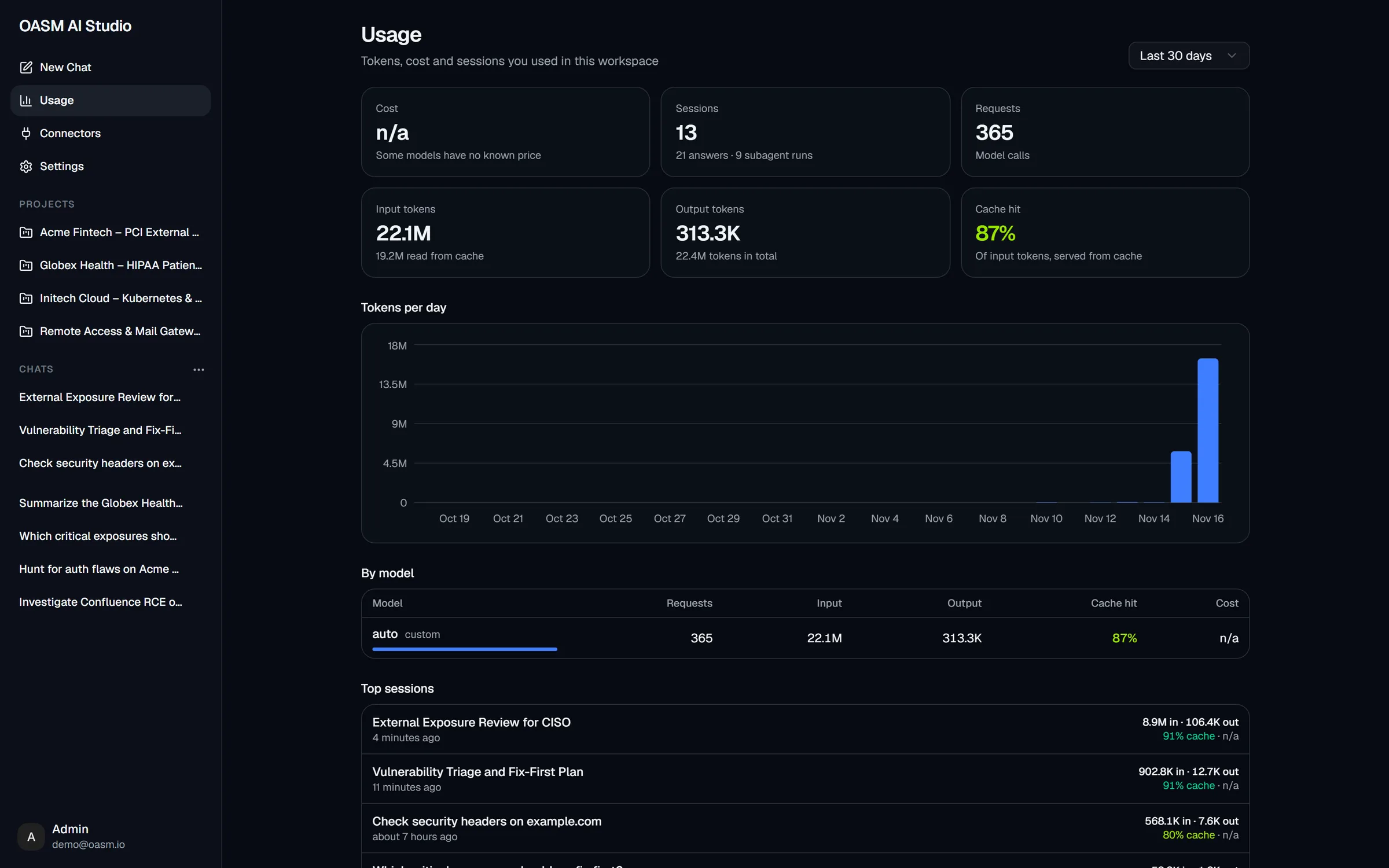
Tokens, sessions, requests and cache hit rate per day, per model and per conversation.
For web-app work the agent drives a headless browser on your worker and shows the page after each command.
Commands run in a locked-down container on a worker — never on the API host.
Plug in a search provider (Exa, Firecrawl, TinyFish) so the agent can research beyond your data.
Optionally let the agent remember what matters about your workspace across conversations.
Workspace-wide instructions added to every conversation's system prompt.
Describe a check in words; the agent drafts the template and saves it to your workspace.
Start anywhere in the console
Start an AI pentest straight from a target, with external recon or web-app presets.
Describe the check; the agent drafts the template with OASM AI Studio.
Ask AI about any issue for risk, impact and the fix.
Turn a global search into a question about your inventory.
Set project instructions and files once; every run uses them.
Ask anything about vulnerabilities, secure coding and best practices.
Conversations and results stay on your infrastructure.
The agent only reads and acts inside the project you choose.
Approve plans, approve each command, or stop a run at any time.
Every tool call, subagent and browser step is shown and kept.
AI Studio ships with every self-hosted OASM. Free, open source, AGPL-3.0.